
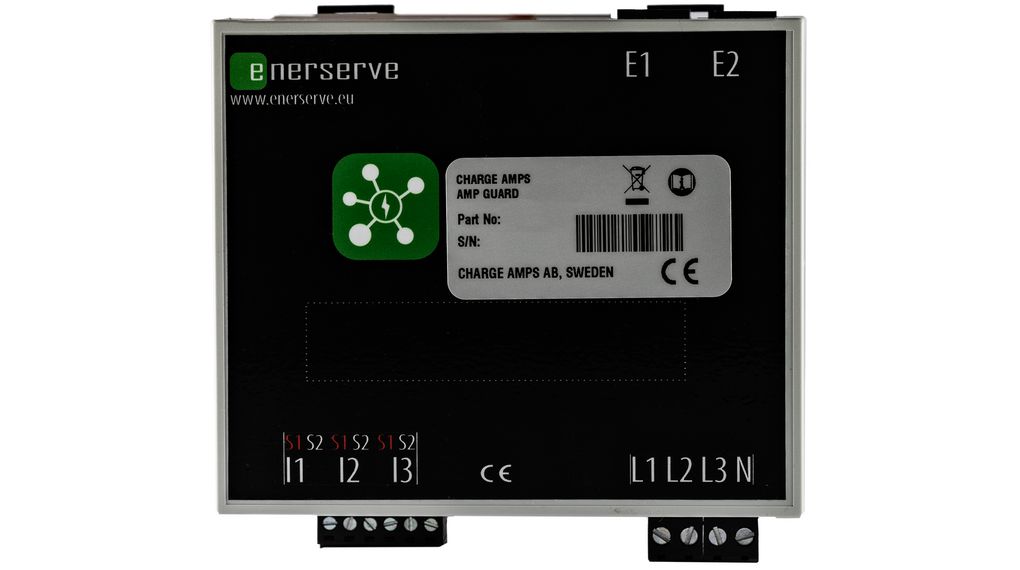
Charge Amps Amp Guard Public – dynamic load balancer 400A for smart charge control
Get the most out of your charging infrastructure with the Charge Amps Amp Guard Public, without the hassle of overcharging.
This smart power monitor measures your total power consumption and optimises the charging capacity of your Charge Amps charging stations in relation to other consumers in the building. The result: faster charging, more kWh per day and less chance of fuses blowing – even if a heat pump, kitchen or workshop is running in the meantime.
What exactly does Amp Guard do?
- Measures actual consumption (mains connection) and monitors the set limit.
- Adjusts the charging power so that charging remains maximum, without tripping the main fuse.
- Works together with solar panels: charging can smartly “move along” with the available space on your connection.
Key specifications
- Measuring range: 100-400 A
- Network: WiFi, LAN
- Power supply: 230 VAC 50/60 Hz (via voltage/power supply terminal)
- Mounting: DIN rail (6 modules wide)
- Dimensions: 108 × 97 × 57 mm
- Weight: 385 grammes
- Article number(s): E2480087, 101209
When is this especially recommended?
- Multiple chargers on one connection (business or association).
- Limited grid capacity but desire for maximum charging.
- Peak consumption due to heat pump, induction, machines or office installations.
- PV installation where you want to make smarter use of available capacity.
Installation tips (practical)
- Reserve DIN rail space: Amp Guard is 6 modules wide, plan space in the distributor.
- LAN = most stable: WiFi can be fine, but in business locations a fixed LAN connection is often more reliable.
- Set your limit properly: choose a safe margin below your main fuse(s) so that peaks do not cause outages.
- Test with peak consumption: turn on large consumers and check that the charging current regulates back nicely.
Note
Amp Guard regulates charge power based on measured consumption. For correct operation, it must be correctly placed and configured, and your charging stations must support load balancing within the chosen platform/settings.