


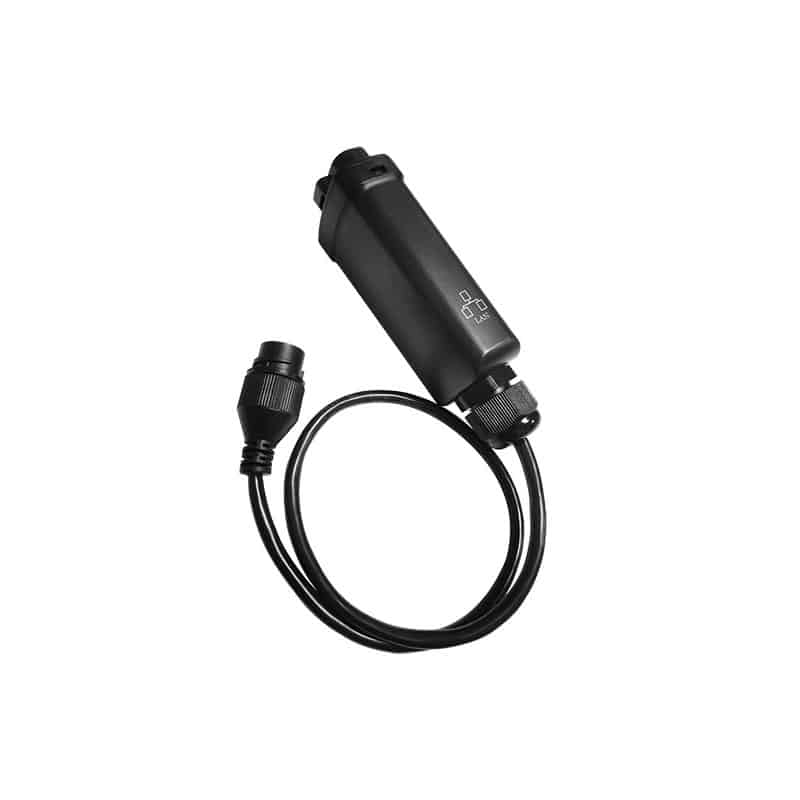
Goodwe Lan Kit
SKU: 237831€15.00 (0% BTW)
GoodWe LAN Kit – Smart Dongle (GA10081-51-00P). Wired RJ45 connection for reliable monitoring and service. Widely compatible with GoodWe grid-tie and hybrid series; note minimum ARM firmware per model.
MPN: GA10081-51-00P
Niet meer leverbaar
GoodWe LAN Kit (Smart Dongle LAN)
MPN: GA10081-51-00P
The GoodWe LAN Kit is the wired smart-dongle to bring your GoodWe inverter stably online. Ideal when Wi-Fi is not reliable or when you want a fixed RJ45 network connection for service/monitoring purposes. The dongle clicks into the communication port of the inverter and provides instant feedback with clear status LEDs (power/router/server) during commissioning.
Why the LAN dongle?
-
Maximum operational security – fixed Ethernet connection, no Wi-Fi interference or roaming issues.
-
Quick commissioning – plug-in, set IP (DHCP or fixed), check LEDs and done.
-
Service-proof – stable data upload for monitoring, logging and (if supported) remote updates.
Compatibility (overview) – GA10081-51-00P
This LAN kit is widely deployable on grid-connected and hybrid/storage series. A minimum ARM firmware applies per series. Older types with 5-pin interface may require a 5-pin-to-USB adapter to fit a USB dongle (footnote in table). Last list update: 12-01-2021.
Grid-tie inverters (selection):
XS / N-XS, DNS, T-DS, MS (2010-06/2021 and 07/2021→), SDT, SDT G2, GEP-PSB/PSC, SMT, MT, HT (1100 V / 1500 V) – with the indicated minimum ARM level per series in the LAN column.
Storage/hybrid (selection):
ES / EM, ET / BT / EH / BH (with distinction for production dates: older batches require a lower ARM level than newer ones), SBP, EHB/GEH. Always check the nameplate and bring the firmware ≥ minimum level before commissioning the dongle.
Practical: in doubt about your exact model/firmware? Note down the serial number + ARM version of the inverter and compare it with the compatibility table. That way you avoid commissoning issues.
Specifications (brief)
-
Product: GoodWe Smart Dongle LAN
-
MPN: GA10081-51-00P
-
Interface: RJ45 Ethernet (10/100 M)
-
Diagnosis: LEDs for Power / Router / Server
-
Mounting: plug-in on communication port of the inverter
3-step installation
-
Install – plug dongle into comm port, switch on inverter.
-
Network – connect RJ45, set DHCP or fixed IP (preferably reserve a fixed IP in your router).
-
Validate – check LEDs (router/server OK) and verify that data is visible in your monitoring environment.
| Weight | 0.247 kg |
|---|---|
| Merk | Goodwe |
