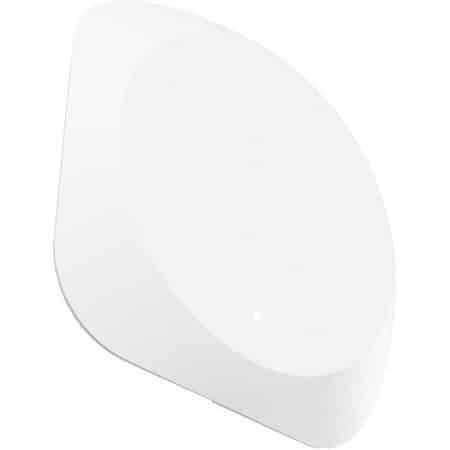
Easee Equalizer P1 – smart load balancing via the P1 port (401298930)
The Easee Equalizer P1 is a small, smart device that provides dynamic load balancing between your Easee charging point and the rest of the installation. It reads the current consumption via the P1 port on the smart meter and sends this data wirelessly to the Easee charging robot. This automatically distributes the available power and prevents the main connection or circuits from becoming overloaded.
With the Equalizer P1, you can charge your car more intelligently, safely and quickly, without the need for costly upgrades to your main connection. What’s more, via the Easee app, you can see exactly how much power your home is using and how much is being used to charge your car.
What does the Easee Equalizer P1 do?
- Dynamic load balancing between the Easee charging robot(s) and the rest of the home or business.
- Prevents overloading of the main connection and fuses blowing whilst charging.
- Enables faster charging when there is little other power consumption in the home.
- Allows for more charging points on a single connection, without the need for immediate investment in infrastructure.
- Enables monitoring of total energy consumption in the Easee app (home + charging point).
Key features of the Easee Equalizer P1
- Type: Easee Equalizer P1 (E02-EQP)
- Application: load balancing via the P1 port on a smart meter (RJ12) or Modbus energy meter
- Compatibility: for Easee charging stations only (Charging Robot / Charge / Lite)
- Product dimensions (h × w × d): 110 × 110 × 27.5 mm
- Weight: approx. 95 g
- Power supply: 5–30 V DC, approx. 100 mA (via P1 or external power supply, depending on the meter)
- Protection rating: IP40 (for installation in or near the meter cupboard, indoors)
- Housing material: PC/ABS, colour: white
- Operating temperature: -30 °C to +50 °C
- Radio & Wi-Fi: Easee Link RF™ (863–870 MHz) + Wi-Fi 2.4 GHz
- Installation: magnetic back + supplied wall plate
- Cable: 1.5 m RJ12 cable, extendable to 15 m
The Equalizer P1 communicates directly with the Easee charging robot via Easee Link RF™ and/or Wi-Fi. Automatic load balancing continues to function even if the internet connection is temporarily lost.
When is an Equalizer P1 a good idea?
- You have a limited main connection (e.g. 1×35 A or 3×25 A) and want to protect your fuses.
- You want to charge at full power as long as there is little other consumption, but automatically switch down during peaks.
- You want to be able to use multiple Easee charging points on a single connection.
- You have solar panels and want to make the most of the available power in your home.
- You want to monitor your total energy consumption via the Easee app.
An Easee charging point will work without the Equalizer P1, but the charging station will not ‘know’ your other consumption and will need to be set conservatively. With the Equalizer, you can get the maximum safe charging capacity from your connection.
Installation – how do you connect the Easee Equalizer P1?
- 1. Check your smart meter
The Equalizer P1 is connected to the P1 port on your smart meter (RJ12). Check that:- your meter has a P1 connection, and
- the P1 port has been activated by your network operator.
Without an active P1 port, the Equalizer will not receive any data (and sometimes no power either).
- 2. Pairing the Equalizer with the Easee charger
The easiest way to pair the devices is to hold the Equalizer briefly in front of the Easee charger’s LED strip (NFC/Easee Link) until the charger lights up green. Wi-Fi details and location settings will then be transferred automatically. - 3. Connecting to the P1 port
Plug the supplied RJ12 cable into theP1port on the smart meter and into the Equalizer. Position the Equalizer with its magnetic back on or near the meter cupboard, or use the mounting plate. - 4. Configuration in the Easee app
In the Easee app, you’ll see the Equalizer listed under your products. Here you can:- check whether load balancing is active,
- set how aggressively you want to limit consumption,
- view live consumption and charging capacity.
- 5. Professional installation if in doubt
Are you unsure about the fuse box, cable thickness or settings? If so, have the Equalizer P1 installed and configured by a certified installer.
Buy the Easee Equalizer P1 for load balancing from Stralendgroen
With the Easee Equalizer P1, you’ll get the most out of your Easee charging point and your existing connection. You’ll charge faster when possible, and at a lower rate when necessary – fully automatically, without worrying about blown fuses.
Not sure whether your smart meter is compatible or how best to connect the Equalizer? Feel free to send us a photo of your meter cupboard and smart meter, and we’ll help you work out the best setup.