
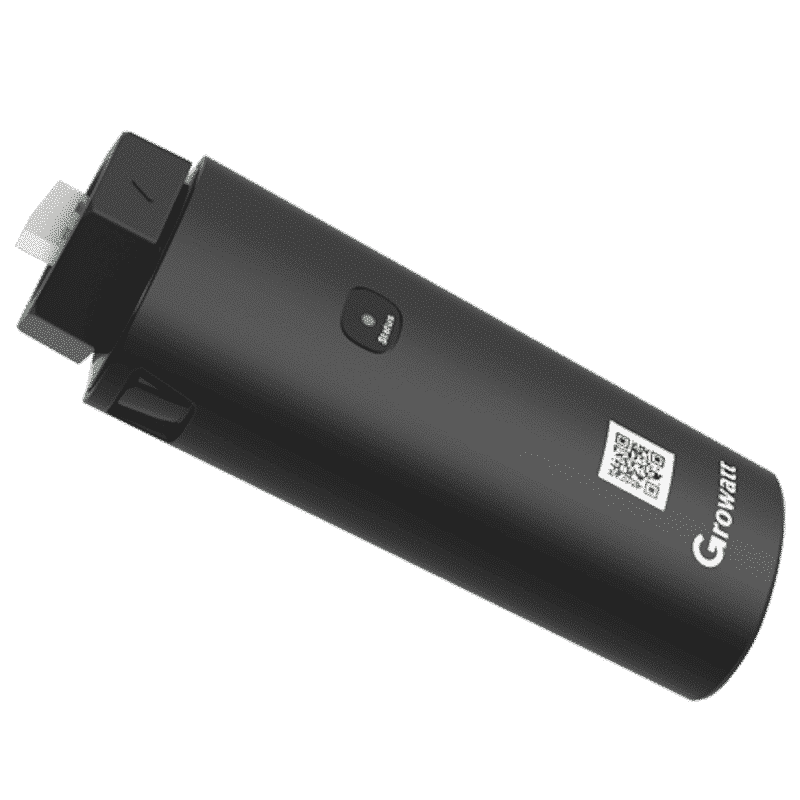
Growatt monitoring module via wifi. The ShineWiFi-X, specifically for Growatt’s new X series inverters.
The Growatt ShineWifi-X has a USB communication connection and includes 1 month of storage space for yield data.
Once installed, Growatt’s monitoring module is reliable and a nice addition to your solar panel set. Monitor the yield of your solar panels on your phone, tablet or PC.
Take a look at the manual of the ShineWifi-X, or check out the manuals via the do it yourself wizard.
Especially for Growatt’s new X series inverters, with a USB port.
Growatt ShineWifi-X manual Do it yourself wiser Growatt's security promotionsNote! To install the wifi module, you will need the following:
- A smartphone or tablet
- A stable and strong wifi connection at the inverter, without the intervention of wifi amplifiers
- Some knowledge of pairing devices
Manual:
1. You stand next to the module when the inverter is on
2. You plug that module into the bottom of the inverter.
3. You log in to the shinephone app (register first if you don’t already have an account, then find the installer code on the orange sticker on the box of your wifi module).
4. scan the QR code of the module
5. then choose the hotspot method
6. You press briefly at the bottom of the data logger so that it lights up continuously in blue
7. You go to your phone’s Wi-Fi settings and connect to the network which has the same name as the serial number of your Wi-Fi module. The password is 12345678
TIP: make sure you have temporarily disabled automatic connection to your home network otherwise your phone will still try to connect to it.
8. Your phone now tells you that you no longer have an internet connection, which is correct.
9. You go back to the shinephone app and press continue. This button might be behind your little keyboard
10. Now the app asks for network details. Here you enter your home Wi-Fi network and its password. This should not contain any special characters or punctuation.
11. Then you can press configure and it will take a while to finish with that.
12. When the dongle starts flashing blue quietly (which can take a while), it’s done!
Sometimes the dongle indicates that it has failed, but after about 10 minutes it will start blinking blue quietly.
Which Growatt dongle fits my inverter?
Growatt has two families of monitoring dongles. Everything with an X or X2 in the name (ShineWiFi-X, Wilan-X2, ShineLAN-X, Shine Link-X/X2, Shine RF Stick X2, Shine GPRS-X) plugs into the USB port. The ShineWiFi-S, Shine Link LANbox and the old ShineLAN plug into the RS232 port. The ShineWiFi-F is only for the off-grid SPF series.
| Inverter series | Port | Correct dongle | Note |
|---|---|---|---|
| MIN 2500-6000 TL-X / TL-XE / TL-XH / TL-XH2 | USB | ShineWiFi-X, Wilan-X2, ShineLAN-X, Shine Link-X/X2 | Also Shine GPRS-X (2G/SIM card) |
| MIC 600-3300 TL-X / TL-X2 | USB | ShineWiFi-X, Wilan-X2, ShineLAN-X, Shine Link-X/X2 | |
| MOD 3-15K TL3-X / TL3-XH (BP and non-BP) / TL3-HU | USB | ShineWiFi-X, Wilan-X2, ShineLAN-X, Shine Link-X/X2 | For the HU series Growatt recommends Wilan-X2 or ShineWiFi-X |
| MID 11-30K TL3-XH / XHL, MID 17-50K TL3-X / X2 | USB | ShineWiFi-X, Wilan-X2, ShineLAN-X, Shine Link-X/X2 | |
| MAX 50-125K TL3 LV (MAX, MAX 2) | USB | ShineWiFi-X, Wilan-X2, ShineLAN-X | Several inverters: Shine Master X (RS485) |
| SPH 3000-6000 single-phase without UP (SPH 3000-6000 TL BL) | RS232 | ShineWiFi-S, Shine Link LANbox (+ RF stick) | The ShineWiFi-X does not fit here |
| SPH 3000-6000 TL BL-UP single-phase | USB | ShineWiFi-X, Wilan-X2, ShineLAN-X | “BL-UP” is printed on the type label |
| SPH 4000-10000 TL3 BH three-phase without UP | RS232 | ShineWiFi-S, Shine Link LANbox (+ RF stick) | The ShineWiFi-X does not fit here |
| SPH 4000-10000 TL3 BH-UP three-phase | USB | ShineWiFi-X, Wilan-X2, ShineLAN-X | “BH-UP” is printed on the type label |
| SPA 1000-3000 TL BL and SPA 4000-10000 TL3 BH(-UP) battery inverters | usually RS232 | ShineWiFi-S | Check the port on the underside (see below) or ask us |
| SPF 3000TL / 3500-6000 ES (off-grid) | WiFi/GPRS port | ShineWiFi-F | ShineWiFi-S and -X do not fit an SPF |
| Older S series: 750S-3000S, MTL-S, TL3-S, UE | RS232 | ShineWiFi-S, Shine Link LANbox, ShineLAN (without X) | |
| NEO 600-1000M-X microinverter | built in | no dongle needed (WiFi version) | NEO …-RF version: ShineWeLink (max. 5 units) |
| NEXA 2000, NOAH 2000 plug-in battery | built in | no dongle needed (WiFi + Bluetooth built in) | |
| APX / ARK / AXE home battery, BMS | – | no dongle needed | The battery talks via the inverter; the dongle goes on the inverter |
Not sure? Look at the underside of the inverter: a round socket with a screw cap (you twist the dongle to lock it) = USB = X dongle. A rectangular 9-pin connector behind a plate marked “RS-232” (the dongle is fixed with two screws) = ShineWiFi-S. If the type label of your SPH says “UP”, it is always an X dongle.